

The design files are the foundation of sharp, vibrant, and consistent results in screen printing. Whether you’re an apparel brand, print shop, marketing agency, sports team, ecommerce business, or promotional products supplier, the quality of your artwork directly impacts production speed, setup costs, and the final printed result.
Submitting the wrong file can lead to delays, extra artwork charges, or poor print quality. Therefore, it is vital to understand what files are the best for screen printing. Knowing the right file formats helps eliminate unnecessary revisions and ensures every design is production-ready.
This guide explains the ideal file types, artwork specifications, and preparation techniques needed to achieve professional screen printing results from the first proof to the final garment.
Key Takeaways
- Vector artwork consistently delivers the sharpest and most scalable screen printing results.
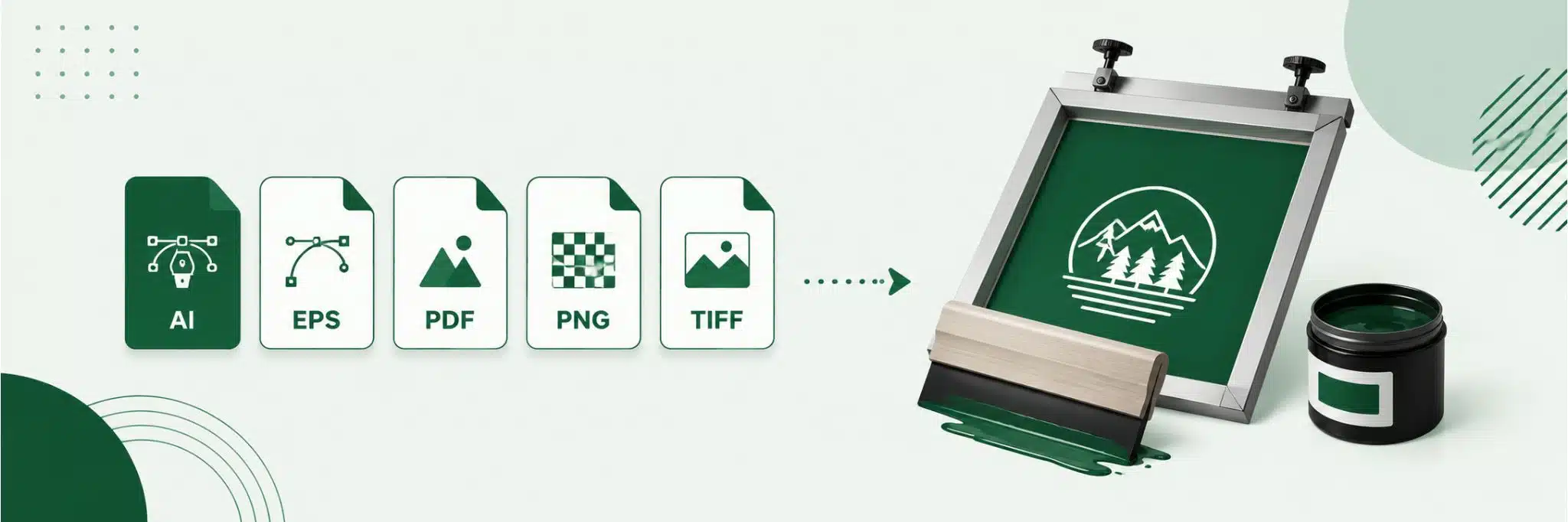
- AI, EPS, PDF, and SVG are widely considered the best files for screen printing.
- High-resolution PNG files can work for simple artwork but are less versatile than vectors.
- Proper color separation, outlined fonts, and clean vector paths reduce production delays.
- Print-ready artwork minimizes setup costs while improving consistency across large orders.
- Following professional screen print artwork requirements helps avoid costly revisions and ensures commercial-quality prints.
Why Format Matters to Choose the Best Files for Screen Printing
The quality of your screen printing artwork begins long before ink reaches the garment. Every commercial printer relies on artwork files that can be separated into individual ink colors, resized without quality loss, and processed efficiently during prepress. Choosing the right screen printing file format not only improves print quality but also reduces setup time and artwork correction fees.
Professional screen printing follows a structured production workflow. After artwork is approved, designers separate colors, prepare screens, expose each stencil, mix inks, and print every color layer individually. If the supplied artwork contains low-resolution graphics, missing fonts, or incompatible file formats, the workflow slows considerably because files must be recreated before production begins.
Businesses that invest in properly prepared artwork benefit from faster approvals, predictable production schedules, and more consistent results. Working with experienced screen printing services also ensures artwork is reviewed before printing, reducing costly mistakes and maintaining commercial-quality output across every order.
Best Files for Screen Printing: Vector vs Raster Files
One of the biggest decisions when preparing artwork is understanding the difference between vector and raster graphics. While both can display designs on a computer screen, they perform very differently during commercial printing.
Vector files for screen printing are created using mathematical paths rather than pixels. Because they are resolution-independent, they can be enlarged to any size without losing sharpness. Logos, typography, icons, and brand graphics are almost always supplied as vector artwork because they maintain crisp edges regardless of print size.
Raster files, on the other hand, consist of thousands of pixels. When enlarged beyond their original resolution, those pixels become visible, producing blurry edges and reduced detail. High-resolution raster images may still be usable for photographic artwork, but they rarely match the flexibility of vectors.
Vector vs. Raster Files for Printing
Understanding the difference between vector and raster artwork helps ensure crisp, high-quality prints and smoother production.
| 🎨 Feature | 📐 Vector Files | 🖼️ Raster Files |
|---|---|---|
| 📏 Scalability | ✅ Unlimited without losing quality | ⚠️ Limited; quality decreases when enlarged |
| 🖨️ Print Quality | ⭐⭐⭐⭐⭐ Excellent at any size | Depends on image resolution (typically 300 DPI or higher) |
| 💾 File Size | Smaller for logos and illustrations | Generally larger, especially high-resolution images |
| 🎨 Color Separation | ✅ Easy and ideal for screen printing | ⚠️ More difficult and often requires additional processing |
| 🎯 Best For | Logos, icons, typography, and illustrations | Photographs, detailed artwork, and digital images |
For screen printing, embroidery, and most custom apparel, vector files (AI, EPS, SVG, or PDF) are the preferred choice because they scale perfectly and simplify color separation. Raster files (PNG, JPG, TIFF, PSD) work well for photographs and detailed artwork, but they should be at least 300 DPI at the final print size to maintain professional print quality.
For most commercial projects, vector artwork remains the preferred choice because it simplifies color separation, improves registration accuracy, and produces cleaner finished prints.
Best Vector File Formats for Screen Printing
Commercial decorators typically request artwork in vector formats because they integrate directly into professional design software and production workflows.
The most widely accepted formats include:
- AI (Adobe Illustrator): The industry standard for editable vector artwork.
- EPS: Highly compatible across various design and RIP software platforms.
- PDF: Preserves vector data while remaining easy to share and review.
- SVG: Commonly used for digital artwork and scalable graphics that retain vector properties.
Each format supports unlimited scaling, clean curves, editable paths, and accurate spot-color assignments. These characteristics make them ideal for logos, branding, typography, and other artwork requiring precise reproduction.
For businesses producing apparel regularly, maintaining original vector artwork significantly reduces future setup time because the same files can be reused across different garments, promotional items, and branding campaigns without redesign.
Can PNG, JPG, or PSD Files Work?
Many customers submit raster artwork because it is readily available from websites, social media, or digital marketing materials. While these formats can sometimes be used, they require careful evaluation before production.
PNG files perform best among raster formats because they support transparent backgrounds and generally preserve higher image quality. A high-resolution PNG at 300 DPI may produce acceptable results for simple graphics or photographs.
JPG files are less desirable because image compression often introduces visible artifacts around edges and text. Every time a JPG is resaved, additional image quality is lost.
PSD files offer greater flexibility because they preserve editable layers. If original artwork exists only in Photoshop, supplying the layered PSD allows designers to separate elements more efficiently.
TIFF files provide excellent image quality and are often preferred for photographic reproductions, although they remain raster-based and cannot scale indefinitely.
Although these formats may work under specific circumstances, they are rarely the preferred screen printing design files. Whenever possible, artwork should be recreated as vectors before production to maximize print quality and simplify prepress preparation.
Screen Print Artwork Requirements for Quality Results
Professional printers follow strict screen print artwork requirements to ensure every design reproduces accurately on press. Even excellent artwork can require significant corrections if these standards are overlooked.
Common artwork requirements include:
- Minimum resolution of 300 DPI for raster graphics
- All fonts converted to outlines
- Spot colors assigned whenever possible
- Transparent backgrounds for isolated artwork
- Correct final print dimensions
- Appropriate bleed where required
- Line weights thick enough for ink reproduction
- Clean vector paths without unnecessary anchor points
Preparing artwork correctly before submission reduces approval time and minimizes production costs because designers spend less time correcting preventable issues.
What Does a Print-Ready Artwork for Screen Printing Include?
Submitting print-ready artwork for screen printing helps printers move directly into production with minimal corrections. A properly prepared file reduces setup costs while improving consistency throughout the entire print run.
A complete print-ready file should include:
- Vector artwork whenever possible
- All fonts converted to outlines
- Final artwork sized correctly
- Transparent background where required
- Spot colors assigned
- Linked images embedded
- Layers organized and cleaned
Following this checklist ensures artwork moves smoothly from design approval into commercial production while minimizing unnecessary revisions, delays, and additional setup charges.
Color Mode and Color Separation in Screen Printing for Artwork
Color preparation is one of the most important steps in commercial screen printing. Unlike digital printers, screen printing applies each ink color separately, making proper separation essential for accurate results.
Most artwork is initially created in RGB, which is optimized for digital displays. Commercial printing, however, relies more heavily on spot colors or carefully managed CMYK workflows depending on the project.
Professional production frequently uses the Pantone Matching System (PMS) to maintain consistent brand colors across different garments, production runs, and manufacturing facilities.
Additional techniques such as simulated process printing and halftones allow printers to reproduce gradients and photographic effects while still using individual screens for each ink color.
Accurate color preparation ensures consistent branding, reduces ink variation, and simplifies press setup, especially for large production orders requiring repeatability.
Common Mistakes in Choosing the Best Files for Screen Printing That Delay Production
Even experienced designers occasionally submit files that look perfect on screen but create problems during production. Most delays occur because artwork doesn’t meet commercial printing standards, requiring manual corrections before screens can be prepared. Every revision adds time, increases setup costs, and pushes back delivery schedules.
The easiest way to avoid these issues is to review artwork before submitting it. A few minutes spent checking your file can eliminate hours of production delays and ensure your project moves smoothly into printing.
Common artwork mistakes include:
- Low-resolution images: Graphics below 300 DPI become blurry or pixelated when enlarged.
- Missing fonts: Fonts that aren’t converted to outlines may substitute incorrectly on another computer.
- RGB artwork: Screen printing uses spot colors or CMYK workflows, making RGB files unsuitable for production.
- Flattened files: Flattening artwork removes editable elements, making corrections more difficult.
- Thin lines: Extremely fine strokes may not print cleanly, especially with plastisol inks.
- Too many colors: Excessive colors increase screen count, setup time, and production costs.
- Incorrect dimensions: Artwork designed at the wrong size may require rebuilding before printing.
- Missing transparency: White backgrounds often need to be manually removed before production.
Avoiding these common mistakes helps maintain production efficiency while reducing artwork revision charges and ensuring consistently high-quality prints.
Prepare Artwork for Screen Printing Depending on Different Products
Artwork should never be created with only one garment in mind. Different products have unique print areas, fabric textures, and decoration limitations that influence how artwork should be prepared. Optimizing designs for each product helps preserve quality while minimizing unnecessary revisions.
For T-shirts, large front graphics remain the most popular application, while hoodies often require designs that avoid pockets, seams, and thicker fabric folds. Performance apparel benefits from simpler artwork with carefully planned placement because stretch fabrics can slightly distort intricate graphics.
Products like tote bags, workwear, and promotional products frequently require different print dimensions than standard apparel. Planning artwork specifically for each product ensures logos remain readable and proportions stay consistent across an entire product collection. Businesses offering a wide variety of promotional products often create separate production files for each item rather than scaling one master design.
Choosing the Right File for Commercial Production
Not every design requires the same file type. Choosing the correct format depends on both the artwork itself and the intended production method.
- Logos should almost always be supplied as vector AI, EPS, or PDF files because they scale perfectly and separate cleanly into spot colors.
- Illustrations with clean lines also perform best as vectors, while photographs often require high-resolution raster images combined with simulated process or halftone printing techniques.
- Multi-color corporate branding typically benefits from vector artwork with Pantone color assignments to maintain consistency across every production run. Sports uniforms likewise rely on vector graphics because names, numbers, and logos frequently require resizing without sacrificing quality.
Selecting the proper file at the beginning dramatically reduces artwork corrections while improving production speed and long-term brand consistency.
Businesses managing frequent apparel orders often benefit from bulk printing services because professionally prepared artwork can be reused across multiple production runs, reducing setup time and maintaining consistent branding.
Organizations requiring multiple decoration methods frequently rely on contract decoration services to standardize artwork across embroidery, screen printing, heat transfers, and specialty applications without rebuilding files for each process.
Companies investing heavily in branded apparel also benefit from centralized artwork management, ensuring every logo, color, and placement remains identical across uniforms, retail merchandise, and promotional campaigns.
Growing ecommerce businesses increasingly use on-demand merchandise programs supported by professionally prepared production files, allowing products to be printed accurately whenever customer orders arrive while maintaining brand consistency.
Final Thought
Choosing the best files for screen printing is one of the easiest ways to improve print quality while reducing production costs and approval delays. Vector artwork, proper color preparation, clean file organization, and print-ready specifications allow production teams to move efficiently from artwork to finished garments.
Whether you’re printing apparel for retail, corporate branding, promotional campaigns, or sports teams, investing in properly prepared artwork ensures sharper prints and more consistent results.
Partnering with experienced providers like Shirt.co gives businesses access to professional artwork review, commercial-quality production, and dependable screen printing solutions that scale with long-term growth.
FAQs
What are the best files for screen printing?
AI, EPS, PDF, and SVG vector files are generally the best because they scale without losing quality and simplify color separation.
What file format does a screen printer need?
Most professional screen printers prefer vector AI, EPS, or editable PDF files, although high-resolution PNGs may work for simple artwork.
Are vector files required for screen printing?
They aren’t always required, but vector files consistently produce the highest-quality prints and reduce production issues.
Can PNG files be used for screen printing?
Yes, provided they are transparent and at least 300 DPI, but vector files remain the preferred option.
Is PDF better than JPG for screen printing?
Yes. A vector PDF preserves scalable artwork, while JPG files lose quality due to compression.
What resolution should screen printing artwork be?
Raster artwork should be at least 300 DPI at the final print size.
What are screen print artwork requirements?
Professional artwork should include vector graphics where possible, outlined fonts, spot colors, transparent backgrounds, correct sizing, and clean production-ready layers.
How do I prepare print-ready artwork for screen printing?
Use vector artwork, convert fonts to outlines, assign spot colors, embed linked images, remove unnecessary layers, and verify final dimensions before submission.
What file type is best for logo printing?
AI, EPS, and SVG files are ideal because logos remain sharp at any size.
Where can I order professional custom screen printing with artwork assistance?
Businesses needing artwork review and commercial-quality production can work with experienced providers offering professional screen printing services and prepress support.